
Sharing Receipts
Share receipts with family members, send via WhatsApp/Messenger
Viewing Receipts
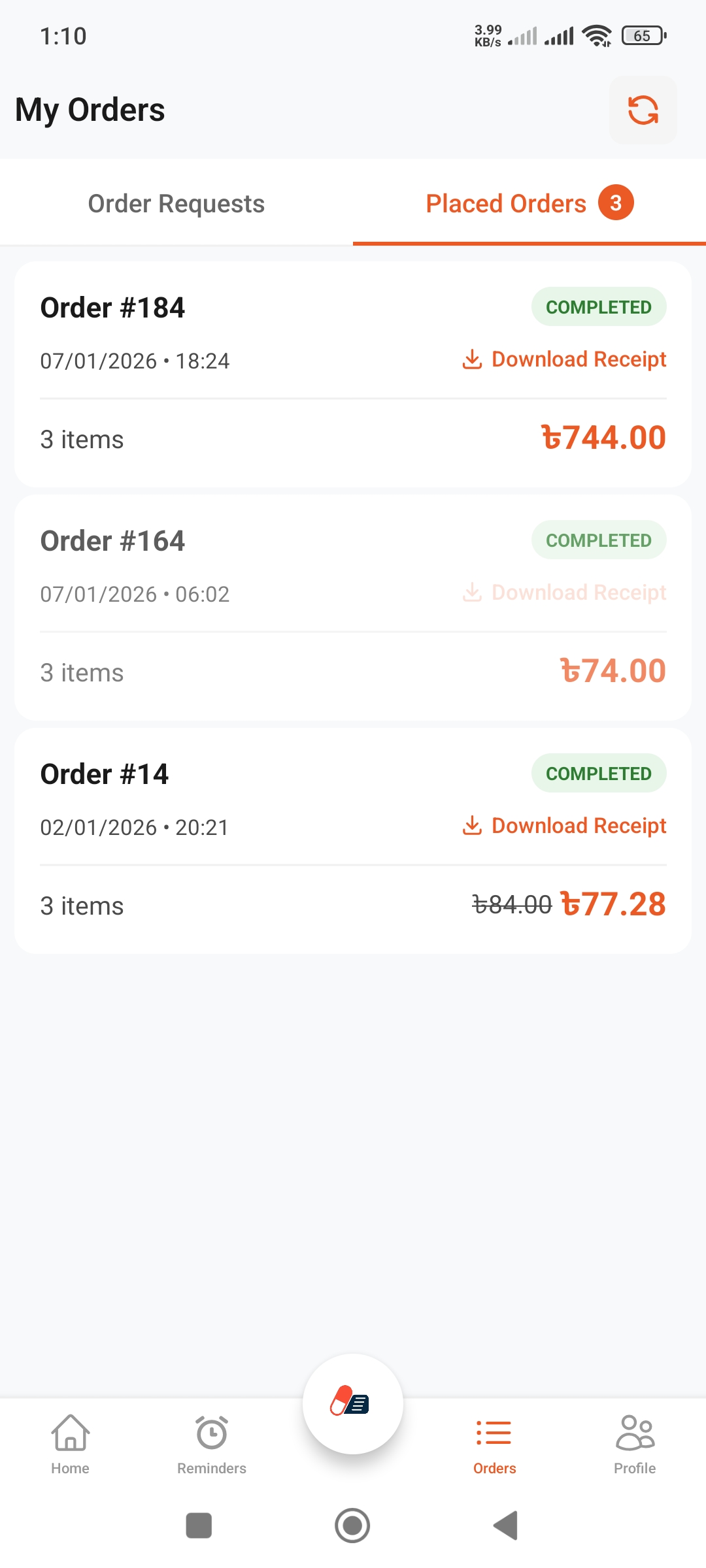
Find Receipts
- Log into the app
- Select "Orders" from bottom navigation
- You will see list of completed orders
- Tap on the receipt you want to view
What's on Receipt
- • Pharmacy name and address
- • Date and time
- • List of medicines and quantities
- • Prices (unit and total)
- • Total bill
- • Order number
Sharing Options
How to Share
- Open the receipt
- Tap the share icon (top or bottom)
- Share menu will appear
- Select your preferred app
- Select recipient and send
Sharing Methods
- • WhatsApp: Most popular, fast
- • Messenger: Facebook Messenger
- • Telegram: Secure and fast
- • SMS: Text message
- • Email: Email
- • Others: Share to any app
Use Cases
When to Share
- • With Family: Everyone sees what was bought
- • For Claims: For insurance or reimbursement
- • Record Keeping: For personal records
- • Show Doctor: On next visit
Family Use
- • Send receipt to spouse
- • Track children's medicines
- • Inform about elderly parents' medicines
- • Everyone sees expenses
Future Records
- • All receipts saved in app
- • View anytime
- • Can search (date/pharmacy)
- • Can print if needed
Sharing Tips
Privacy Tips
- • Only share with trusted people
- • Don't share in public groups
- • Share personal info carefully
- • Share part of receipt if needed (screenshot)
Best Practices
- • Share immediately after order
- • Share in family group
- • Share regularly
- • Track monthly expenses
Other Options
Save as Image
You can screenshot the receipt and save to gallery. Can share anytime.