
Searching Medicines
Find medicines by name, generic, or company and add them quickly
Search Interface
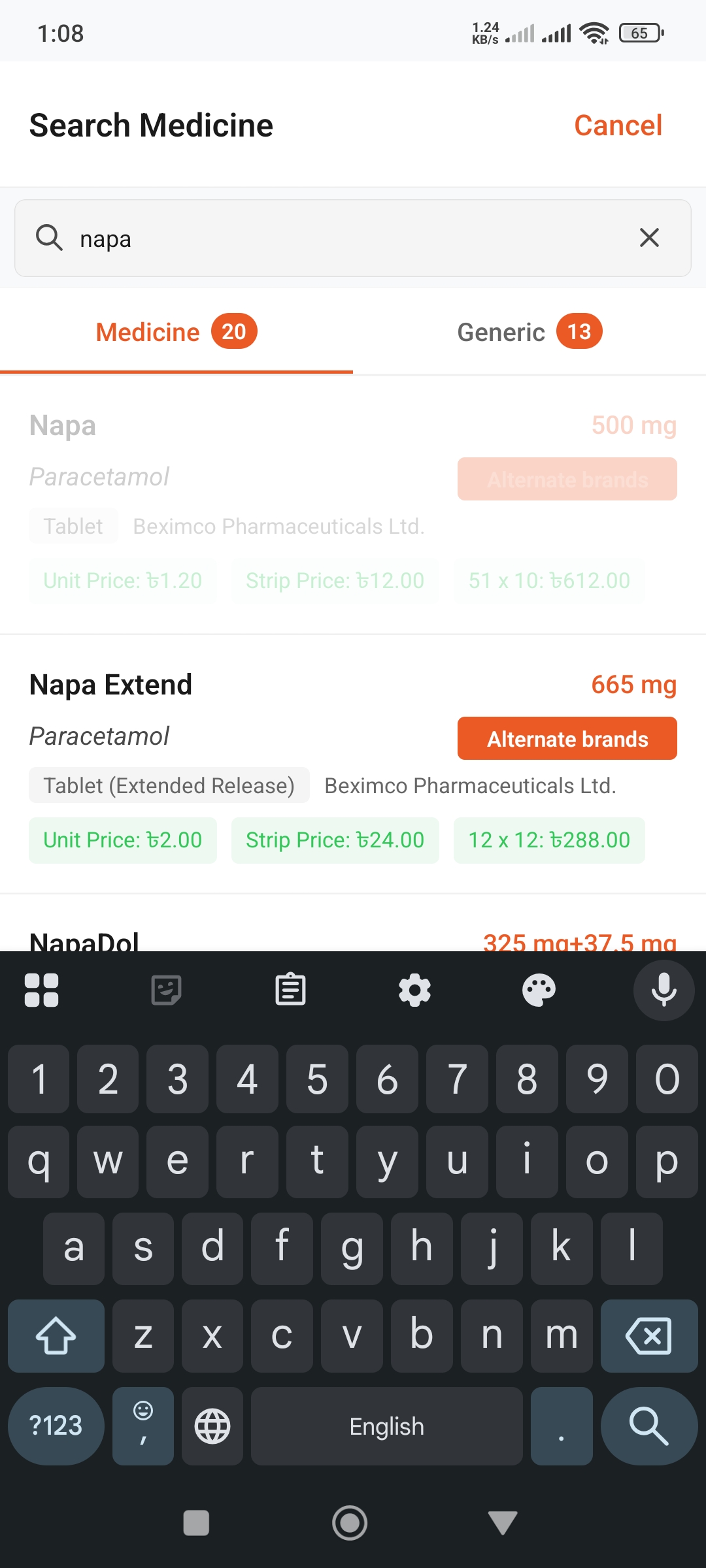
How to Search
- Go inside any list
- Tap the + (plus) button in top right
- Type medicine name in the search bar
- View results and select the correct one
Search Tips
- • Just type the first few letters
- • Shows possible matches even with typos
- • Can search using generic names
- • Can search using company names
Search Results
Results List
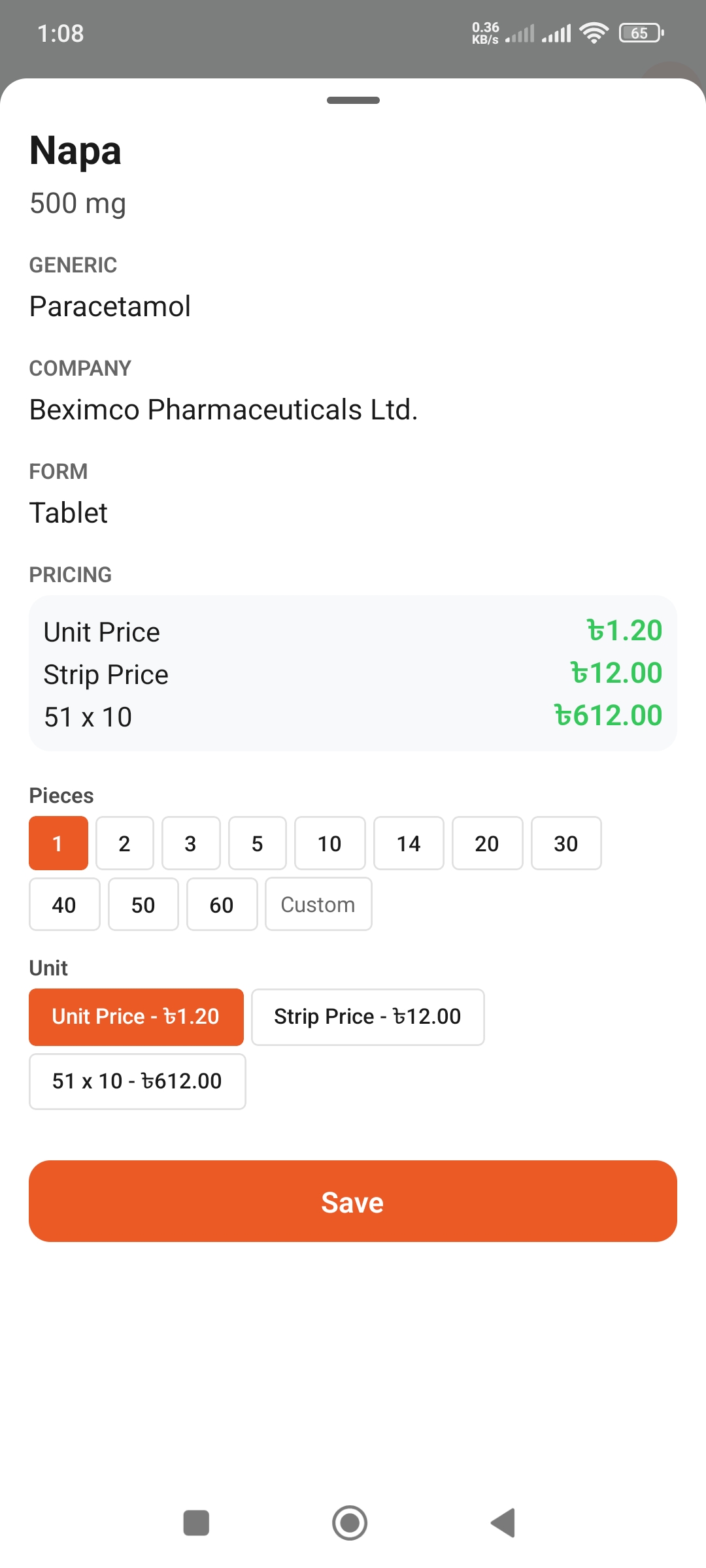
Medicine Details
What Results Show
- • Medicine Name: Brand name
- • Generic Name: Generic name
- • Company: Manufacturer company
- • Dosage: Strength (e.g., 500mg)
- • Form: Tablet, capsule, syrup, etc.
Selecting Correct Medicine
- • Check your doctor's prescription
- • Match the brand name carefully
- • Verify generic and dosage
- • Ask doctor or pharmacist if unsure
Different Search Methods
1. Search by Brand Name
Easiest method. Type the brand name.
Example: "Napa", "Amodis", "Seclo"
2. Search by Generic Name
Shows all brands when searching by generic.
Example: "Paracetamol", "Metformin"
3. Search by Company
To find medicines from specific company.
Example: "Beximco", "Square", "Incepta"
Adding from Search
Quick Add
- Select medicine from results
- Enter quantity
- Tap "Add" button
- Added to your list!