
Getting Started
Sign in, create your first list, and learn the basics
Step 1: Sign In
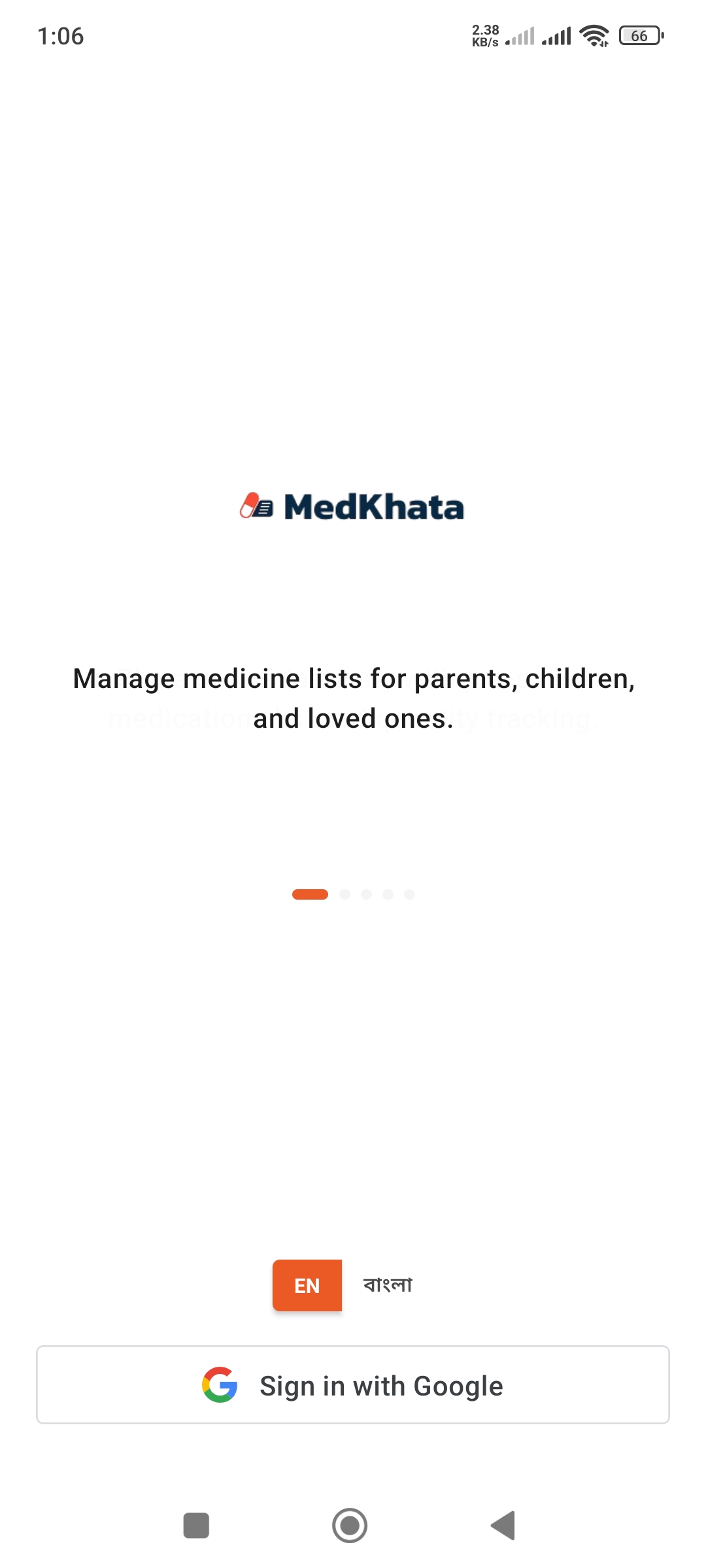
Select Language
- 1.Tap "EN" or "বাংলা" button at the bottom
- 2.Choose your preferred language
Sign in with Google
- 3.Tap "Sign in with Google" button
- 4.Select your Google account
- 5.You will be logged into the app instantly
Step 2: Create Your First List
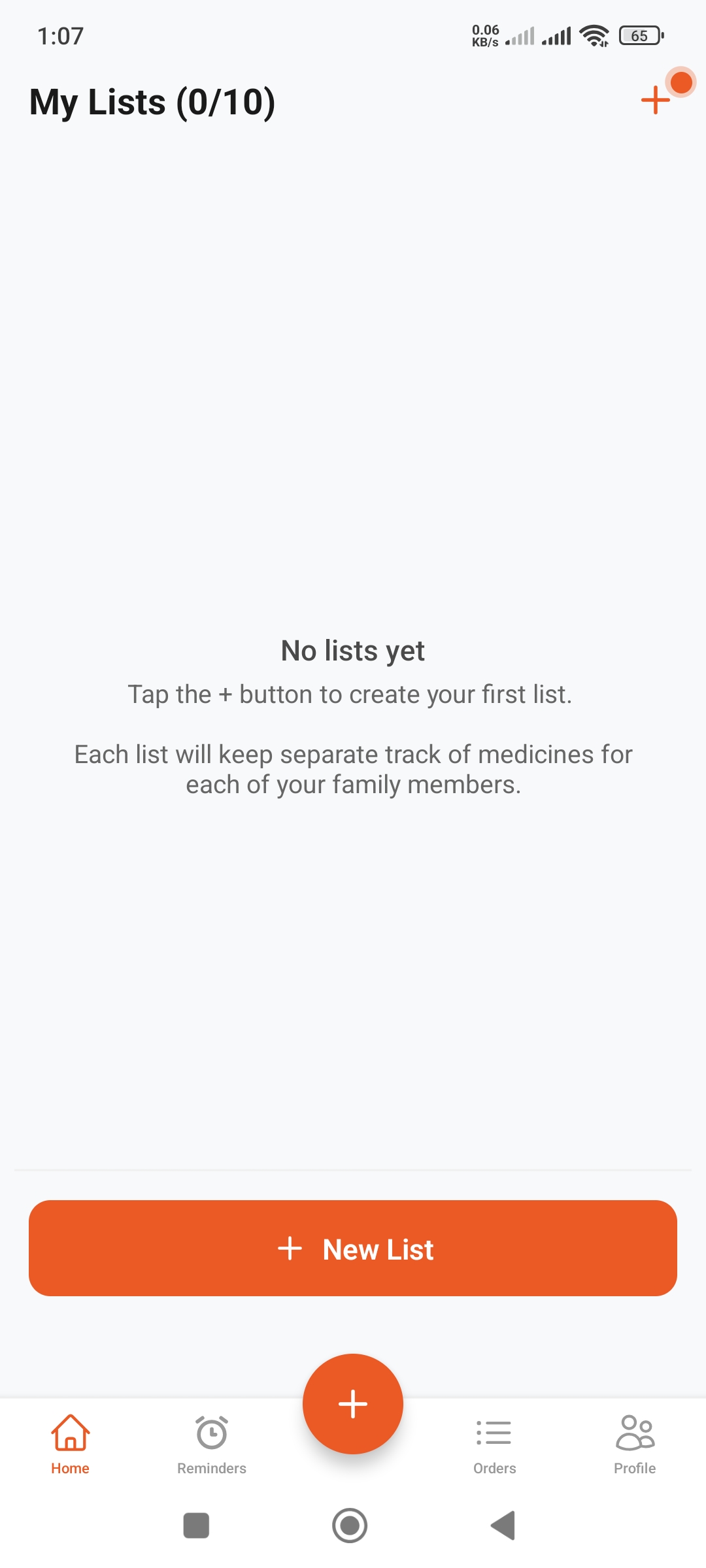
Understanding the First Screen
After logging in, you will see "My Lists (0/10)":
- • 0/10: You currently have 0 lists out of 10 possible
- • Empty State: You will see "No lists yet" message
- • + Button: Ready to create your first list
Create a New List
- Tap the small + (plus) button at the top right
- Or tap the "+ New List" button in the middle
- Or tap the FAB (big round button) at the bottom
Step 3: Name Your List
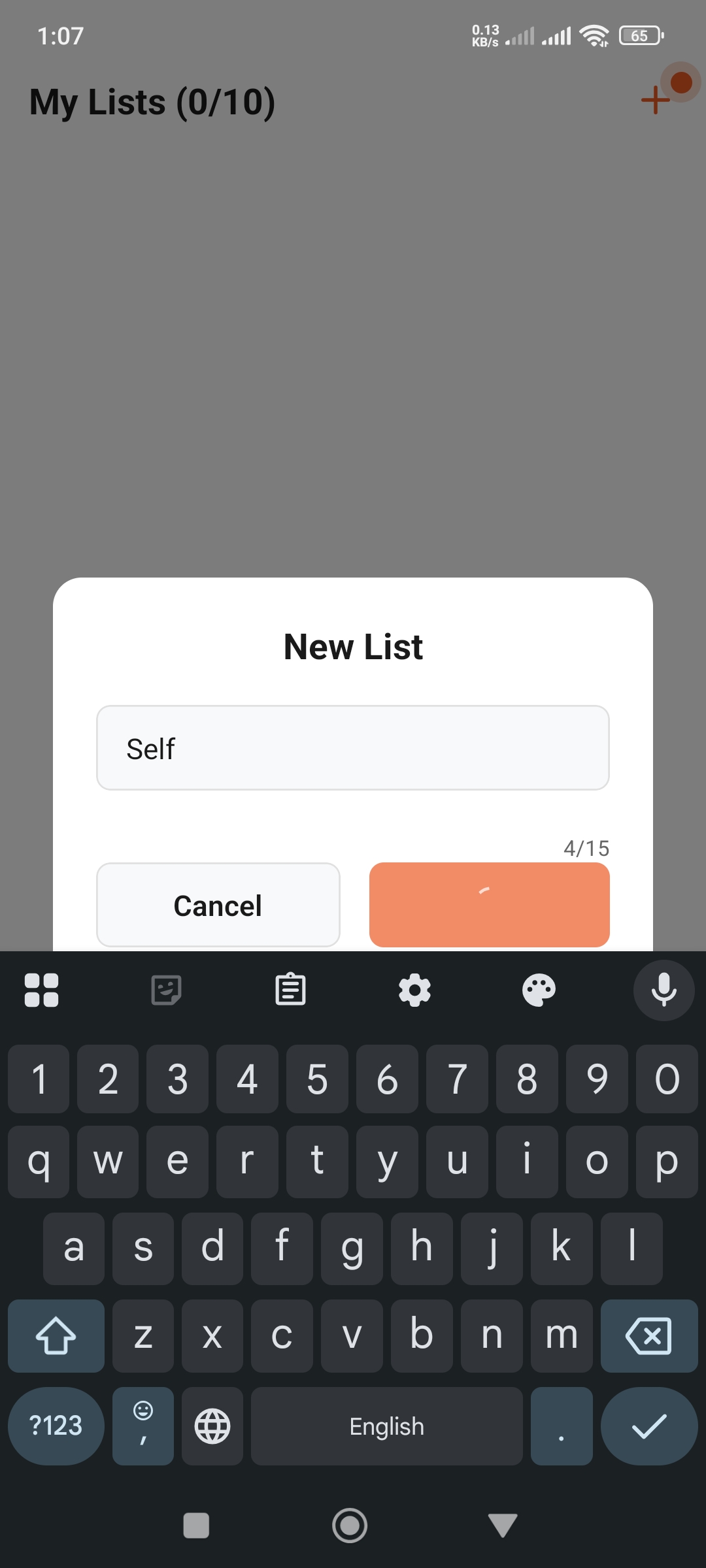
Enter List Name
- 1.Type the list name in the dialog (e.g., "Self", "Amma", "Baba")
- 2.Maximum 15 characters allowed (shows 4/15)
Naming Tips
- • Use simple names everyone understands
- • Family member names (Amma, Baba, Brother)
- • Or purpose (Personal, Monthly Stock)
Confirm List
After typing the name, tap the checkmark (✓) button or "Cancel" to dismiss.
Understanding Lists
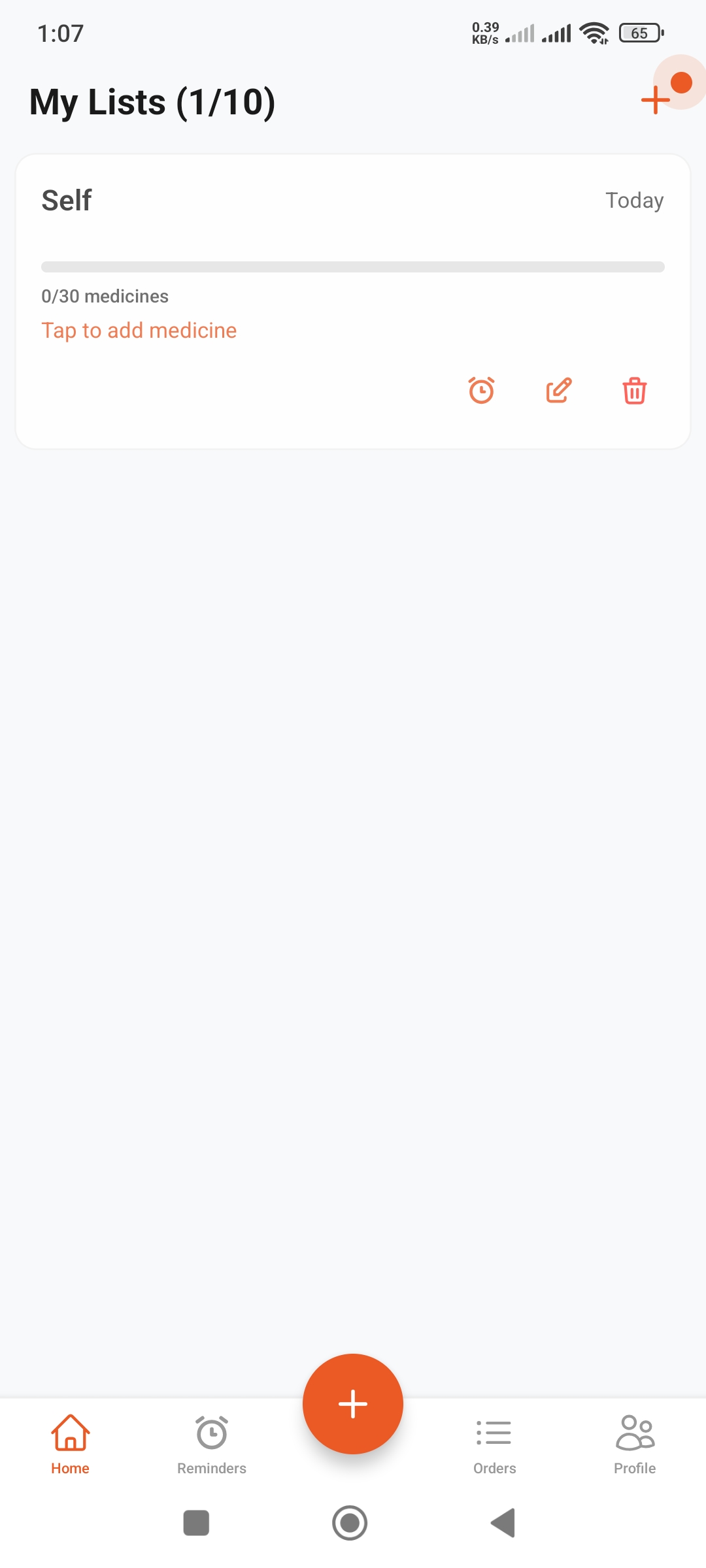
List Components
You will see the following information for each list:
- •Name & Date: List name and update date (Today)
- •Progress Bar: Gray progress indicator (fills as you add medicines)
- •Medicine Count: "0/30 medicines" - Up to 30 medicines per list
- •Action Link: "Tap to add medicine" - tap to add items
Action Icons
- 🔔Alarm: Tap to set reminders for this list
- ✏️Pencil: Tap to edit the list name
- 🗑️Trash: Tap to delete the list
Bottom Navigation Bar
Home
View lists
Reminders
View alarms
Add
Quick add
Orders
Order history
Profile
Settings
Quick Tips
Free Forever
Use the app completely free
Easy to Use
Simple interface, learn quickly
Family Friendly
Manage medicines for everyone
Secure
Google sign-in, secure data