
Stock Management
Adding medicines, tracking inventory, and managing expiry dates
Adding Stock
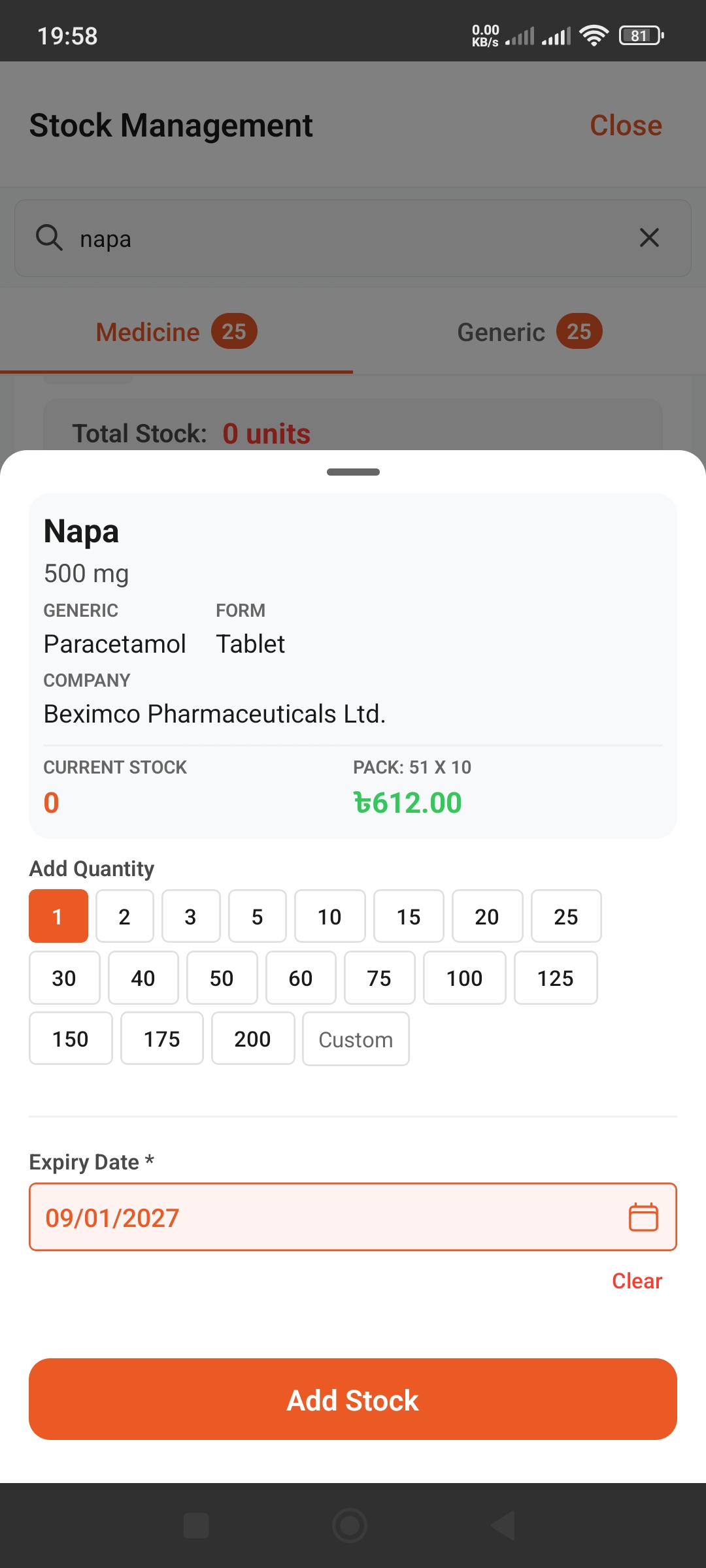
Search and Add Medicines
- Type medicine name in the search bar (e.g., "Napa")
- Select "Medicine" or "Generic" tab
- Select medicine from results
- Tap quantity buttons (1, 2, 3, 5, 10, etc.)
- Select "Custom" to enter your own quantity
- Select expiry date
- Tap "Add Stock" button
Important Information
- •Current Stock: Shows current inventory level
- •Pack: Packaging size (e.g., 51 X 10)
- •Price: Shows wholesale price
View and Filter Stock
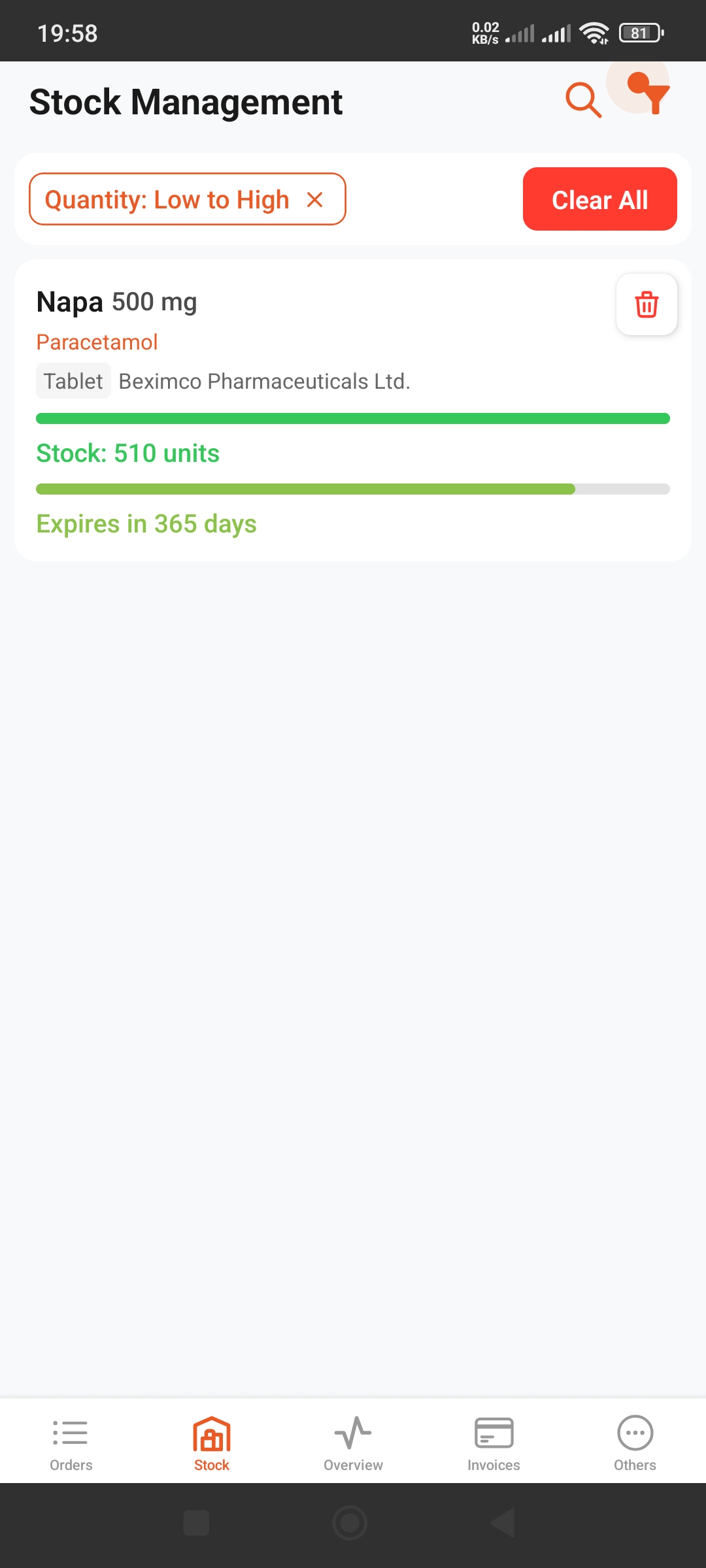
Stock Information
For each medicine you can see:
- ✓Stock Level: How many units in stock (green bar)
- ✓Expiry: Days until expiration
- ✓Medicine Details: Name, generic, form, company
Filter and Sort
Use filter icon to:
- • Sort by low stock (Quantity: Low to High)
- • Filter by expiring soon
- • Use "Clear All" to remove filters
Delete Stock
Tap the red trash icon to remove medicine from stock.