
Getting Started
Account registration, login, and initial setup guide
Account Registration
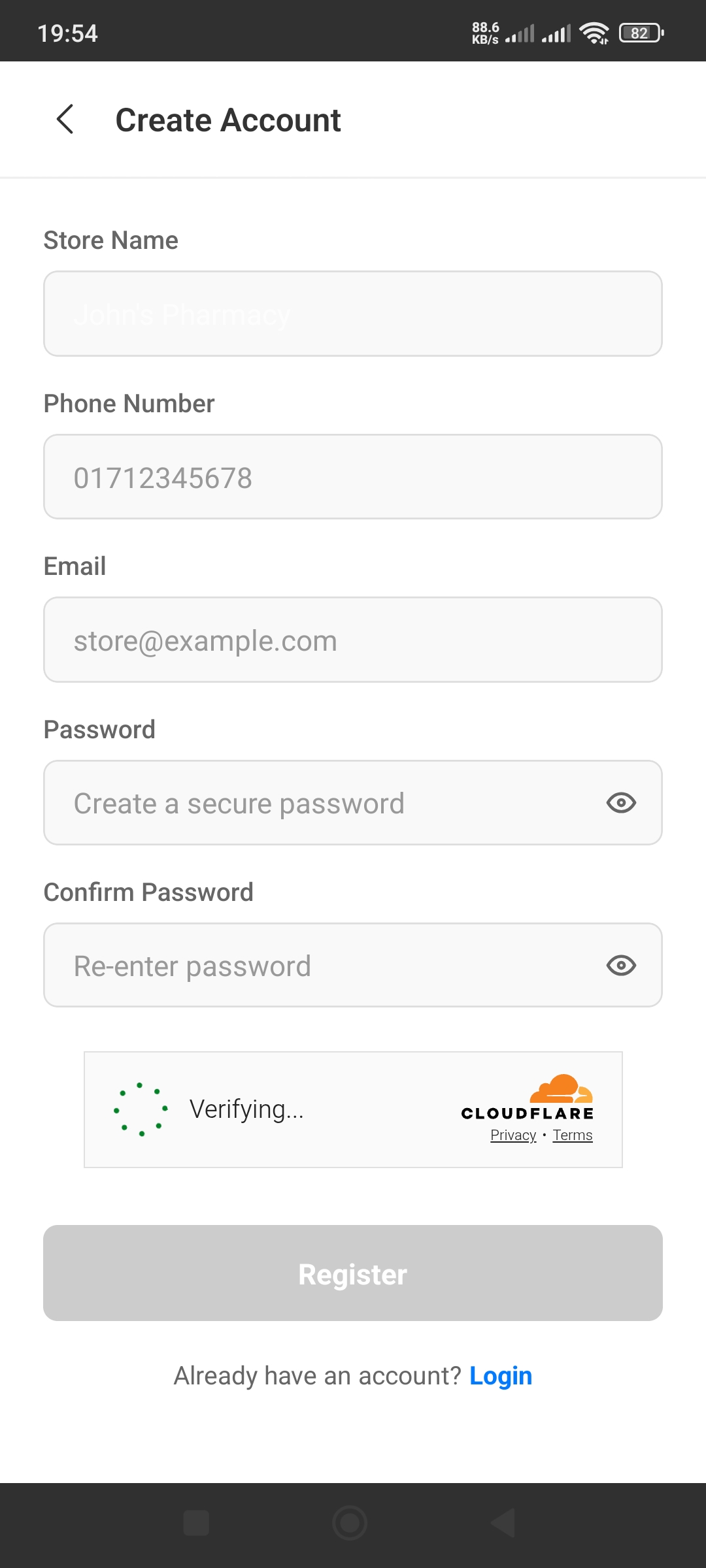
Step 1: Enter Store Information
- •Store Name: Enter your pharmacy or store name (e.g., "John's Pharmacy")
- •Phone Number: Enter your business phone number
- •Email: Provide an active email address
- •Password: Create a secure password (minimum 8 characters)
- •Confirm Password: Re-enter the password
Step 2: Verification
After tapping Register, the app will verify your information. Wait for the "Verifying..." message to complete. This may take a few seconds.
Step 3: Complete Registration
Once verification is successful, the "Register" button will become active. Tap it and your account will be created!
Store Login
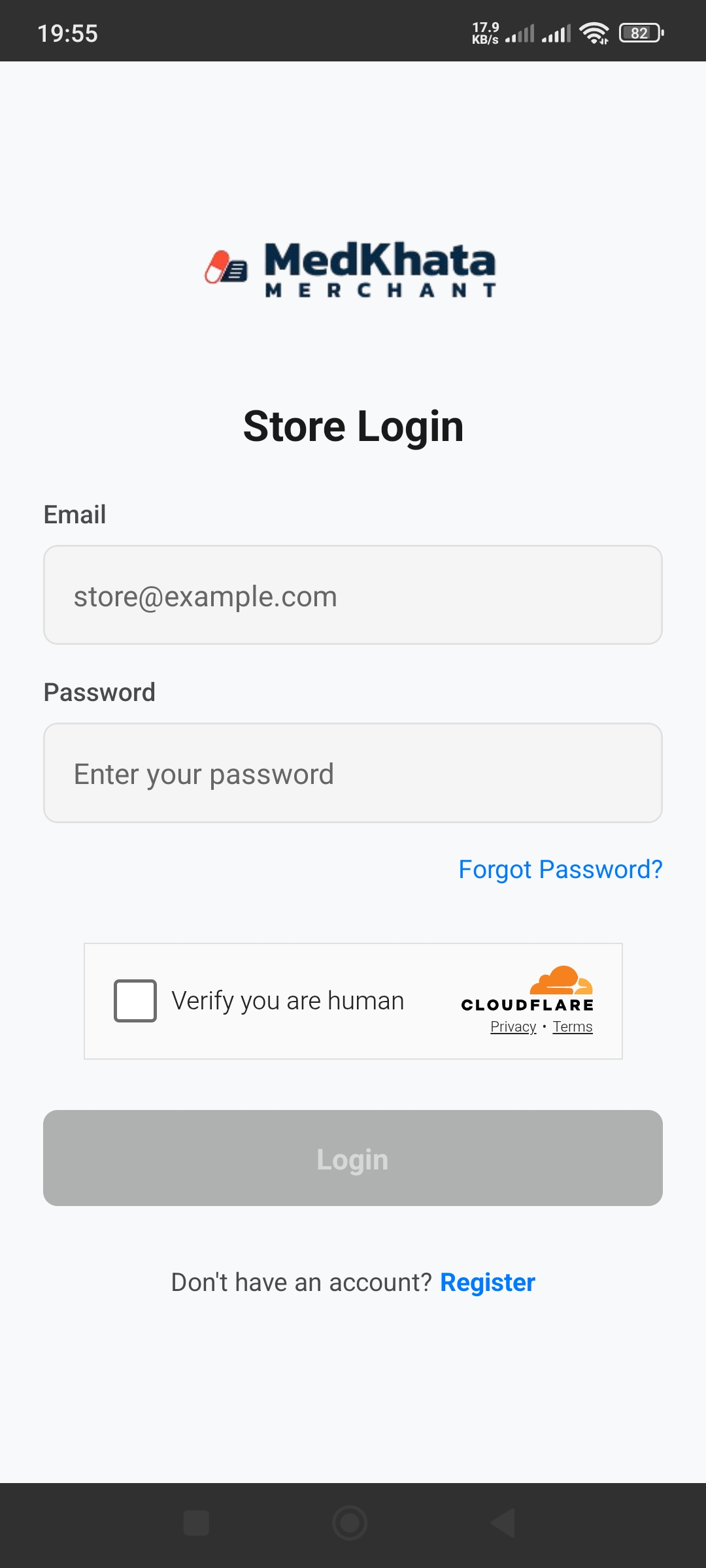
To Login:
- Enter your email address
- Enter your password
- Check the "Verify you are human" checkbox
- Tap the "Login" button
Forgot Password?
Tap the "Forgot Password?" link below the password field. A reset link will be sent to your email.
Tips
- ✓Use a strong password (with uppercase, lowercase, numbers, and special characters)
- ✓Keep your login credentials secure
- ✓Logout after each session